
Connection lost
Attempting to reconnect
Your meals.
Your rotation.
Organized.
Built for keto, low-carb, carnivore, and plant-based households who cook on repeat. Start from a diet pack, build your rotation, plan the week — not another recipe feed.
Closed testing
Help shape the apps
Android closed testing is open now — we'll email you a Google Play invite. iOS is still in development; request access and we'll notify you when it's ready.
Features
Everything you need
to organize your rotation
Track your own meals, manage your kitchen, and keep your family's favorites on repeat.
Weekly Meal Planning
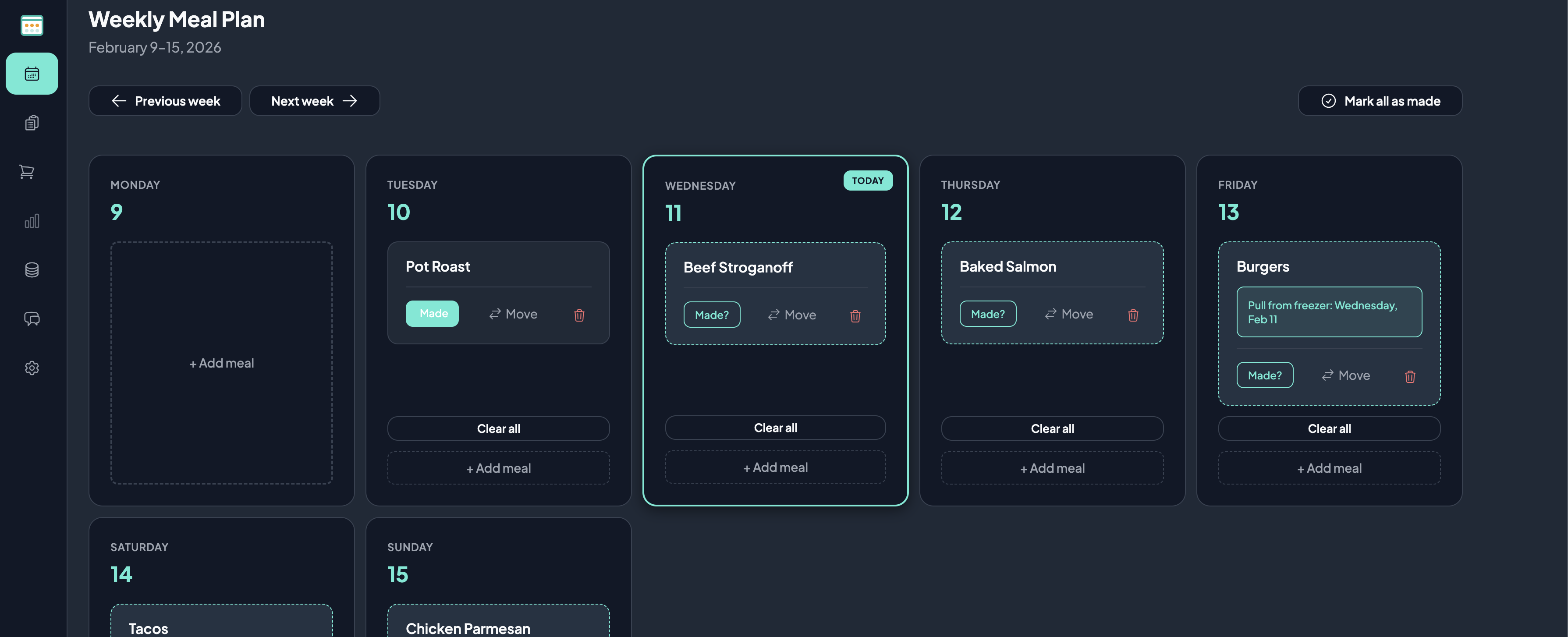
Select your favorite meals into a 7-day calendar. See your entire week at a glance.
Your Personal Rotation
Add your own favorite meals with complexity ratings, ingredients, and notes. Build your family's custom collection.
Track Your Rotation & Analytics
See when you last made each meal and how often you cook it. Discover your most-made meals and optimize your rotation—or keep your menu exactly as you like it.
Manage Your Household
Invite family or roommates to your household. Share your rotation and plan the week together so everyone stays in sync.
Freezer Reminders
Pull from freezer reminders
Get email, browser, or mobile reminders when to thaw. Choose your time, how many days ahead, and whether to include only meat and seafood or every planned meal—right in Account Settings.
Smart Shopping Lists
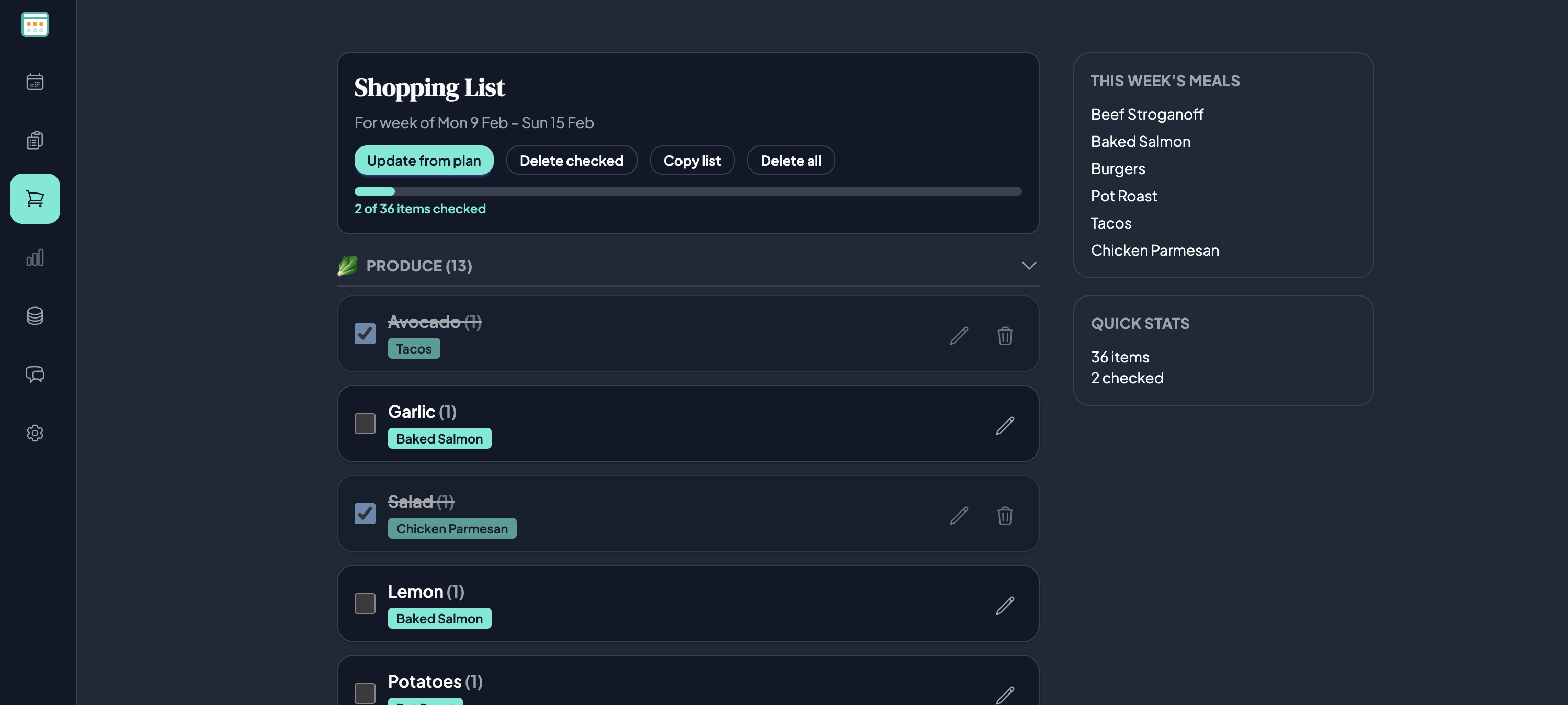
Automatically generate shopping lists from your weekly plan. Check off items as you shop.
How It Works
From chaos to clarity
in three simple steps
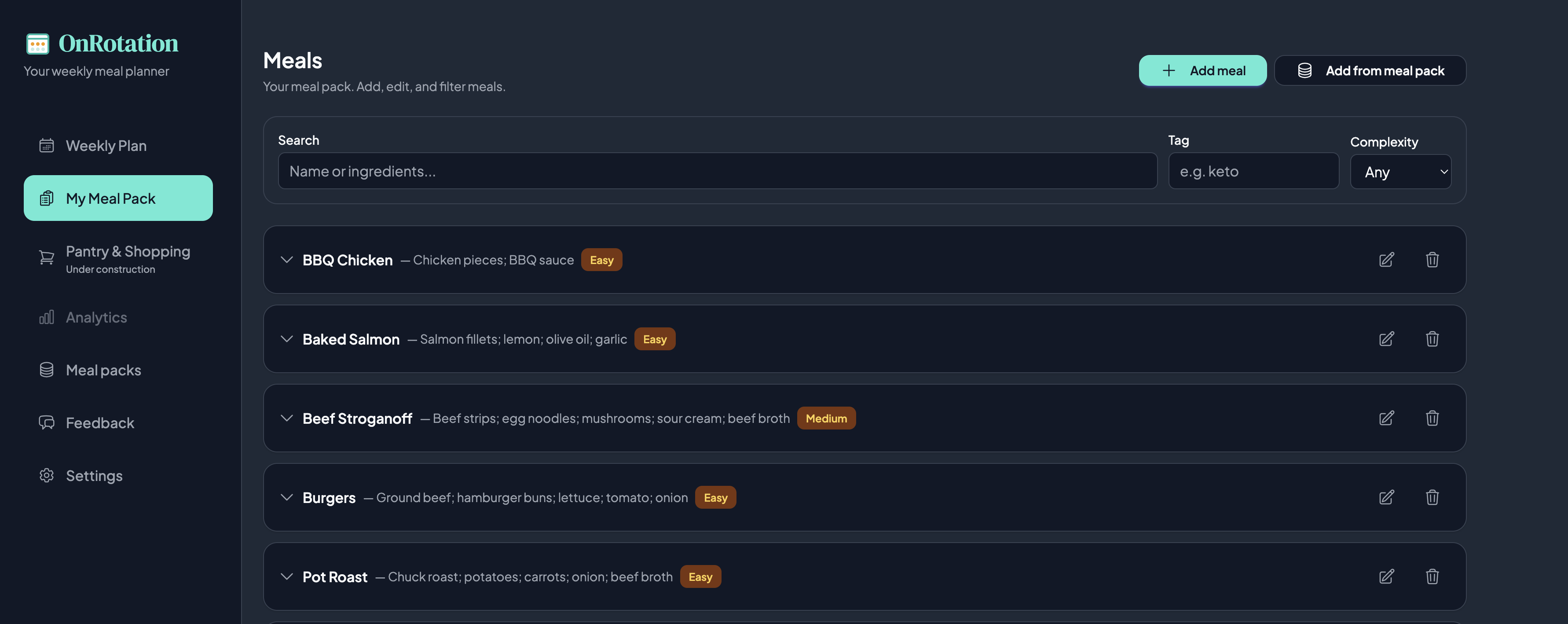
Step 1: Add Your Own Meals
Start with a month of dinners from diet packs — Keto & Low-Carb, Carnivore, or Plant-Based — added off-rotation, then promote keepers into My Rotation. Meal-idea packs (grill, taco night, and more) are there when you want inspiration. Or add the meals you already cook at home.
Step 2: Schedule Your Week
Fill your 7-day calendar with the meals from your collection. OnRotation shows you when you last made each dish to help you keep things fresh and varied—or it's okay to have things stay the same!
Step 3: Shop & Cook Stress-Free
Get your auto-generated shopping list and freezer reminders. Know exactly what's for dinner every single night.
Pricing
Simple plans for home cooks. Details coming soon.
FAQ
Common questions
-
What is My Rotation?
- My Rotation is your personal collection of meals - the dishes you already make or want to cook. You add each meal with its ingredients, proteins, and complexity. Then you use that collection to plan your week and generate shopping lists.
-
Is OnRotation free?
- You can start planning and organizing your meals for free. We’ll share pricing for additional features when they’re ready.
-
Do I need to add my own recipes?
- Yes. OnRotation is built around your meals. You can also start from diet packs (Keto & Low-Carb, Carnivore, Plant-Based) added off-rotation, then promote keepers into My Rotation. Meal-idea packs add vibe nights when you want them. OnRotation is not a recipe manager — it is a meal planner.
-
Can OnRotation track my macros?
- Not without your help. OnRotation is not a macro tracking app by default, but you can add your own recipes and track your macros.
Ready to organize
your meal rotation?
Start with the meals you already cook — free on the web.
Get in touch
Contact us
Questions, feedback, or ideas? Send us a message and we'll get back to you.